




Frequently Asked Questions
How can I buy additional VPN Tracker licenses for my team?
To add additional licenses for your team, please follow these steps:
- Log in to your account at my.vpntracker.com
- In the Team overview, go to "Licenses". Here you can see all your existing plans
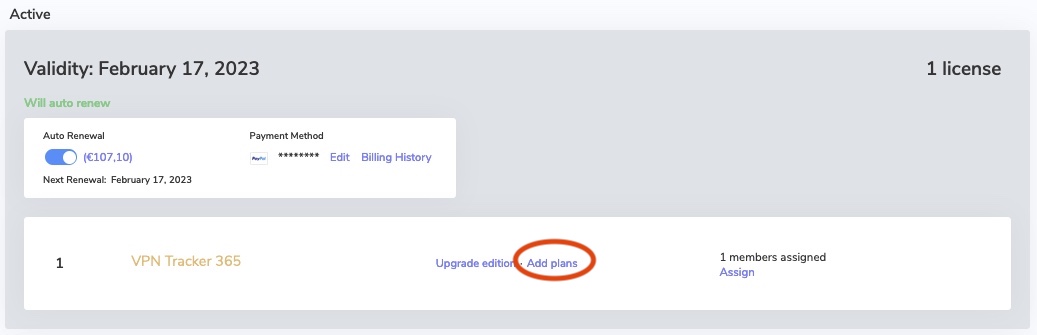
- Then, click on “Add plans”
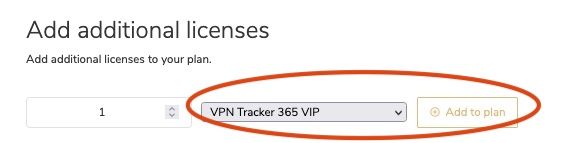
- On the following page enter the number of licenses you would like to add and select the edition. Then click on "Add to plan"
- Under Checkout you will see your new plan. Your new plan will start from today’s date and will run for one year.
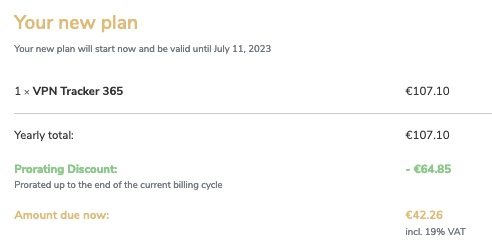
- The "Yearly total" is the total price for one year
- If applicable (i.e. if you have merged your plans), the "Prorating Discount" is the remaining value of your existing licenses which gets deducted from the yearly total to make the "Amount due now".
- Check the Terms and Conditions and click "Pay now"
- You can now assign your licenses to your team members