


ENDE
The #1 VPN Client for Mac, iPhone & iPad
Features
Teams
Tech Specs
Consultant Service
Pricing
FAQ & Support
Blog
Downloads
 

Connect to WireGuard® VPN on Mac, iPhone & iPad

VPN Tracker creates a private, secure WireGuard VPN connection on your Mac, iPhone, or iPad. With VPN Tracker, setting up WireGuard Mac VPN is easy — connect to your router, firewall, or VPN server and get secure access to your network, wherever you are.


Start WireGuard Mac Setup


Set Up WireGuard Mac VPN in VPN Tracker


Quickly set up WireGuard VPN on your Mac, iPhone, or iPad:

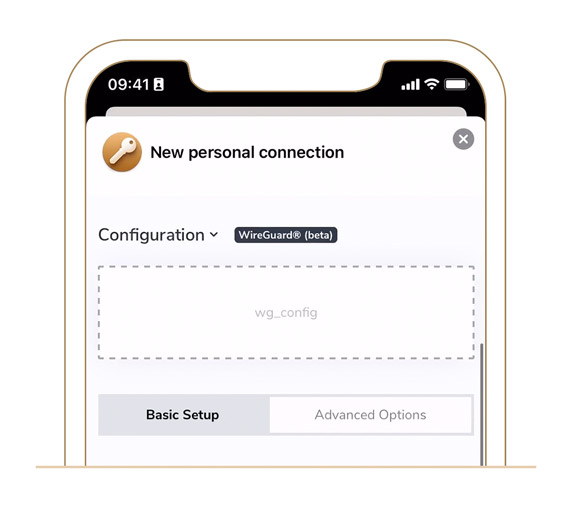
  1. Create a new WireGuard connection in VPN Tracker
  2. Upload your .conf file or scan your QR code to import your settings
  3. Give your connection a name and save using Secure Data Transfer


Easily configure Wireguard Mac & iOS with VPN Tracker


WireGuard Mac FAQs and Availability

What is WireGuard VPN?

WireGuard is a modern, open-source VPN protocol known for its simplicity, speed, and strong security. Thanks to its lightweight design, WireGuard has become one of the most popular VPN solutions in recent years.

On Mac, iPhone, or iPad, WireGuard VPN connections are set up by securely exchanging public keys. You can easily import your WireGuard configuration — either using a .conf file or by scanning a QR code — to get your WireGuard Mac connection up and running in seconds.

Are WireGuard VPN connections supported in VPN Tracker?

Yes! VPN Tracker fully supports WireGuard VPN connections on Mac, iPhone, and iPad. Make sure you are using the latest VPN Tracker version for macOS or iOS to set up and manage your WireGuard Mac connection smoothly. Download the latest version.

Which license do I need to connect to WireGuard VPN in VPN Tracker?

Good news — WireGuard Mac support is included in all VPN Tracker plans! You can set up and use WireGuard VPN on your Mac, iPhone, or iPad with any edition of VPN Tracker. View all plan options.


What can you do with WireGuard VPN?

Looking to get the most out of your WireGuard Mac setup? Explore all our guides, tips, and resources on connecting with WireGuard VPN below. Have a specific question about setting up WireGuard on your Mac, iPhone, or iPad? Our support team is here to help!


Device setup guides

Connect to WireGuard VPN on your Mac or other devices with our step-by-step guides:
→ Custom WireGuard VPN
→ ASUS Routers

Tips & tricks

Get expert advice from the VPN Tracker Blog to enhance your WireGuard Mac setup:
→ Introducing WireGuard
→ Set Up a VPN Server at Home

Plan options

Find the right VPN Tracker plan to connect to WireGuard VPN on Mac, iPhone, or iPad — WireGuard is included in all editions:
→ View all plan options

WireGuard®” is a registered trademark of Jason A. Donenfeld.