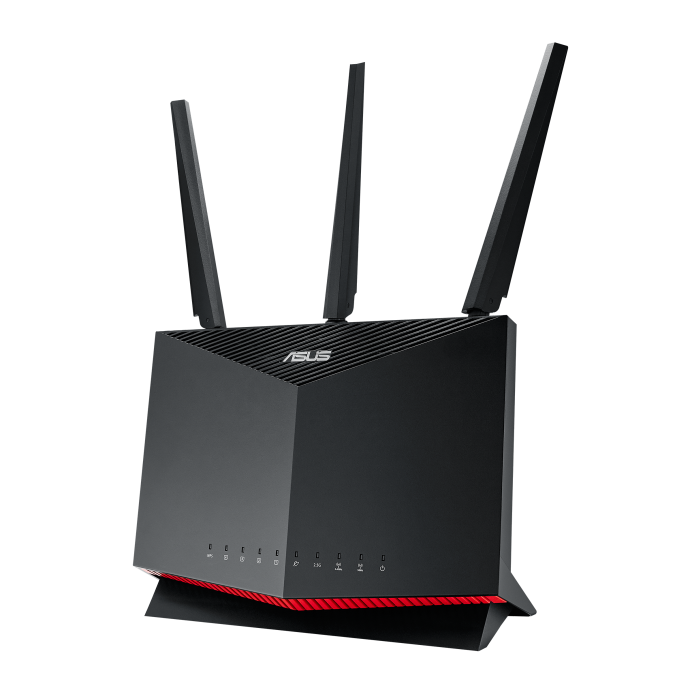
The ASUS RT-AX86S router is a powerful, affordable choice for home office users and small businesses seeking a comprehensive network and security solution. Equipped with next-generation Wi-Fi 6 technology, this router delivers blazing-fast speeds and robust coverage for all your everyday online activities.
In addition to advanced wireless features, the RT-AX86S supports both IPsec (IKEv1 & IKEv2) and WireGuard® VPN protocols, providing flexible and secure remote access options for your network. Whether you're working remotely or need to access your home or office network securely from anywhere, the RT-AX86S makes VPN configuration simple and reliable.
Key VPN Specifications for ASUS RT-AX86S
- VPN Protocols Supported: IPsec (IKEv1, IKEv2), WireGuard®
- VPN Throughput: High-speed VPN performance suitable for seamless remote connections
- VPN Client Support: Compatible with VPN Tracker and other major VPN clients on Mac, iPhone, and iPad
- Advanced Security: Integrated firewall and encryption technologies to protect your data
- Multi-User MIMO & Smart Band Selection: Optimizes bandwidth allocation, ensuring smooth VPN experience
How to Set Up VPN on Your ASUS RT-AX86S Router
Step 1: Access Your Router's Admin Interface
- Open a web browser and enter your router's IP address (usually
192.168.1.1)
- Log in using your admin username and password
Step 2: Enable VPN Server
- Navigate to VPN settings in the menu
- Choose either IPsec VPN or WireGuard VPN depending on your preferred protocol
Step 3: Configure VPN Server Settings
- For IPsec, enter your VPN subnet, authentication methods, and pre-shared keys
- For WireGuard, generate keys and configure allowed IPs and endpoints
Step 4: Save Your Settings and Apply Changes
Step 5: Export VPN Configuration
- Export your VPN configuration file or note down necessary details for client setup
Connecting on Mac, iPhone, and iPad with VPN Tracker
To easily connect your Mac, iPhone, or iPad to the ASUS RT-AX86S VPN server, use VPN Tracker 365, the most trusted VPN client for macOS and iOS devices:
- Download and install VPN Tracker 365 on your device
- Create a new VPN connection and select ASUS RT-AX Series as your device
- Import your VPN configuration file or manually enter the connection details
- Save and test your VPN connection for secure access anywhere